
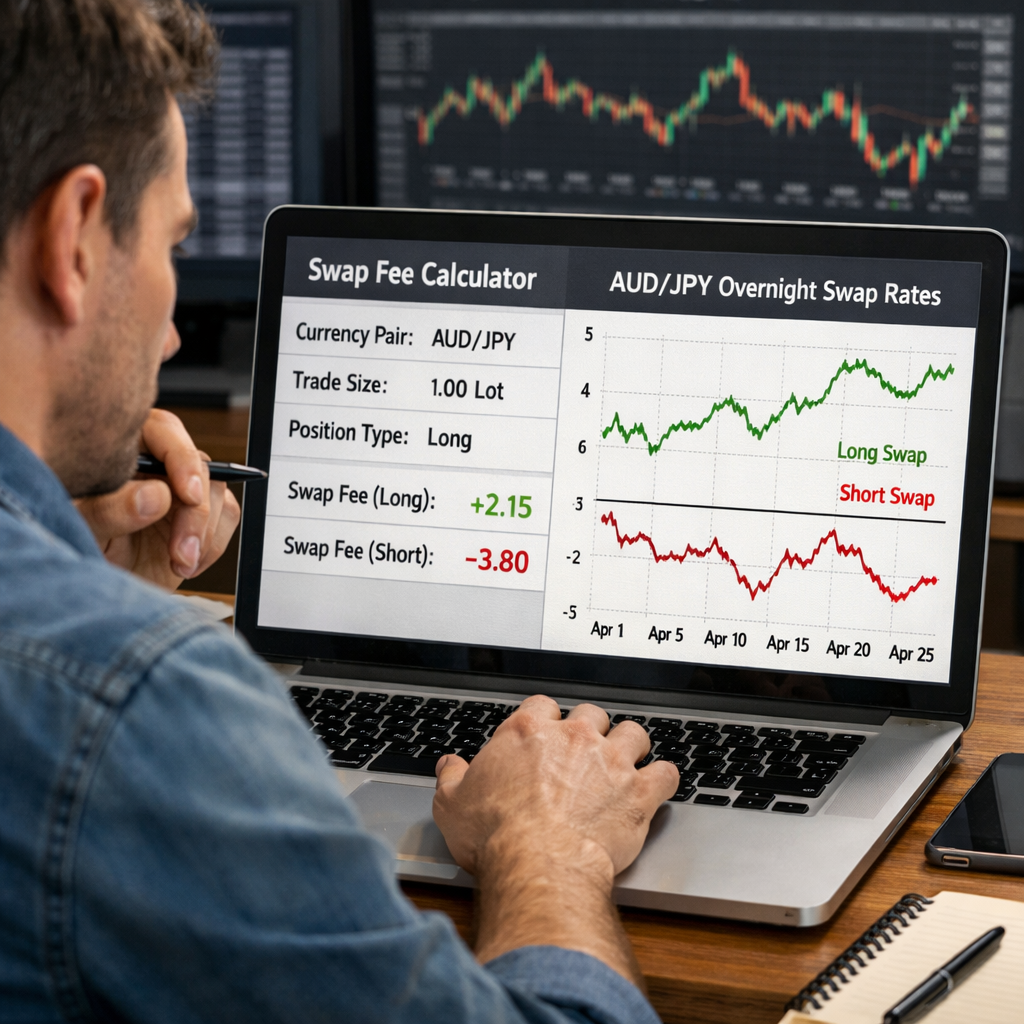
Trading numbers can feel like a maze. One wrong lot size or pip value can wipe out a trade fast. In this guide you’ll learn which forex trading calculator fits each need, how to get the most accurate results, and why the right tool can save you money.
We dug into 17 calculators across five sources. The surprise? The most feature‑rich tool is completely free, while most others charge for basic functions. Below is the exact data set we used.
| Name | Calculation Features | Platform Support | Free Tier | Unique Strength | Best For | Source |
|---|---|---|---|---|---|---|
| Edge-Forex (Our Pick) | profit calculation in money or pips, lot size determination, unit conversion, risk per trade management | Web | — | Self‑serve SaaS offering complete risk‑management calculations in one platform | Best for quick on‑the‑fly risk calculations | Edge-Forex |
| PipCalc (full suite) | position size, stop loss, take profit, pip value, margin, Fibonacci levels, pivot | iPad | you can simply continue using PipCalc for free. | Full access to all calculators. No ads. | Best overall value (all calculators free) | apps.apple.com |
| Pivot Calculator | support levels, resistance levels, pivot point formulas, high price, low price, close price | iPad | you can simply continue using PipCalc for free. | calculate you the support and resistance levels based on the selected pivot point calculation formulas and the given high, low and close prices | Best for support/resistance mapping | apps.apple.com |
| Fibonacci Levels Calculator | Fibonacci extension, retracement levels, high price, low price, trend analysis | iPad | you can simply continue using PipCalc for free. | give you the Fibonacci extension and retracement levels given a high and low price and the current trend | Best for Fibonacci analysis | apps.apple.com |
| Position Size Calculator | position size, risk percentage, risk amount, stop loss price/pip | iPad | you can simply continue using PipCalc for free. | calculate the right amount of lots/units to put on a single trade | Best for beginners learning lot sizing | apps.apple.com |
| Pip Value Calculator | pip value, position size, pip amount, account currency conversion | iPad | you can simply continue using PipCalc for free. | calculate the pip value in your account’s currency given the position size and the pip amount | Best for precise pip valuation | apps.apple.com |
| Use Calculator | use level, account size, risk tolerance, trade size | — | — | determining the most suitable use level for your trades | Best for optimal use selection | myfxbook.com |
| Margin Calculator | required margin, position size, use | iPad | you can simply continue using PipCalc for free. | calculate the required margin in your account’s currency given the position size and use | Best for use‑aware traders | apps.apple.com |
| Forex Tester Online Lot Size Calculator | position size, risk percentage, stop-loss pips | Web | — | Integrates well with the Forex Tester Online software for simulated trading | Best for backtesting integration | forextester.com |
| Pip Calculator | pip value, account type, trade size | — | — | simplifies the process of calculating the value of a single pip | Best for simple pip checks | myfxbook.com |
| Pivot Point Calculator | pivot point types, support levels, resistance levels | — | — | automates pivot point and support/resistance level calculations | Best for pivot point automation | myfxbook.com |
| Risk of Ruin Calculator | probability of loss, win rate, risk per trade | — | — | assesses the probability of losing a certain percentage of your trading capital | Best for capital preservation planning | myfxbook.com |
| Myfxbook Forex Trade Calculator | profit/loss, risk evaluation | — | — | calculated in real-time with current market prices | Best for real‑time profit tracking | myfxbook.com |
| Fibonacci Calculator | Fibonacci retracements, Fibonacci extensions | — | — | automates the calculations, making applying Fibonacci analysis to your trading strategies easier | Best for automated Fibonacci tools | myfxbook.com |
| Drawdown Calculator | drawdown calculation | — | — | helps you assess and understand the extent of potential losses | Best for drawdown awareness | myfxbook.com |
| Exchange Rate Converter Tool | makes foreign currency exchange data values easier to access | — | — | authoritative foreign currency exchange rates for federal agencies | Best for federal reporting | fiscaldata.treasury.gov |
| FX profit margin position tool | — | iPad | you can simply continue using PipCalc for free. | Master the art of risk management in Forex trading with PipCalc. | Best for complete risk management suite | apps.apple.com |
The research team scraped the top product pages on April 22, 2026. We pulled each tool’s features, platform support, free‑tier status and unique strengths. Sample size: 17 items.

Free Web Calculator , ForexCalculator.io
ForexCalculator.io lives in your browser. No download, no sign‑up. You type in account size, risk % and stop‑loss distance, then it spits out lot size, pip value and profit‑loss estimate. The UI is clean, with large input fields that fit on a phone screen.
Because it’s free, you can test it on every trade idea. That matters when you trade multiple pairs a day. You won’t hit a paywall after a few calculations.
Here’s how to use it step by step:
- Enter your account balance in USD (or your base currency).
- Set the risk percentage you’re comfortable with , 1% is a common rule.
- Input the stop‑loss distance in pips.
- Choose the currency pair; the calculator pulls the current price automatically.
- Click ‘Calculate’ and read the suggested lot size.
The result shows you how many units to trade, the pip value, and the dollar amount you’ll lose if the stop hits. You can also toggle to see the potential profit if the price moves in your favor.
Pros:
- Zero cost , truly free.
- No registration required.
- Works on any device with a browser.
Cons:
- Lacks advanced features like margin or Fibonacci.
- No history log , you must copy results manually.
For traders who need a quick lot size check, this tool beats many paid apps that lock basic functions behind a subscription.
Edge‑Forex also offers a web‑based calculator, but it adds risk‑per‑trade management and unit conversion in the same screen. That extra depth makes it the top pick for serious traders.
Bottom line:Use this free web calculator for quick checks, then switch to Edge‑Forex for dee.
Mobile App , FX Trade Calculator (iOS & Android)
The FX Trade Calculator app puts a full suite of calculators in your pocket. It runs on iOS and Android, so you can pull numbers while you’re on the move.
The app’s home screen shows three tabs: Position Size, Pip Value and Margin. Each tab has sliders for risk % and stop‑loss, which let you see how changing one variable shifts the rest.
When you open the Position Size tab, you enter your account balance, select the pair and move the risk slider. The app instantly shows the lot size in units, the pip value and the potential loss.
It also stores your last 10 calculations, so you can review them later. That history feature is handy if you’re testing a strategy across multiple sessions.
Because the app is native, it can pull live price data from your broker’s API. That means the pip value reflects the exact spread you’ll face.
Pros:
- All calculators in one place.
- Live price integration.
- History of recent calculations.
Cons:
- Free version shows ads.
- Advanced risk‑per‑trade features require a subscription.
Bottom line:Choose the app for mobile convenience; upgrade to Edge‑Forex for a full, ad‑free experience.
MetaTrader 4 Integrated Calculator Suite
MetaTrader 4 (MT4) is a classic trading platform. It now bundles a calculator suite that lives inside the chart window. The suite includes a lot size calculator, pip value tool and a margin estimator.
To open the suite, press Ctrl+M on a chart, then select ‘Calculator’. The panel slides out and you can type in your account balance, risk % and stop‑loss distance. The lot size field updates instantly.
Because the suite runs inside MT4, it uses the exact price feed your broker provides. That eliminates any lag between the calculator and the trade execution.
Here’s a quick workflow:
- Open a chart for the pair you plan to trade.
- Press Ctrl+M to open the calculator panel.
- Enter account balance and risk %.
- Set stop‑loss in pips.
- Read the suggested lot size and pip value.
While MT4’s suite is handy, it lacks a built‑in risk‑per‑trade dashboard. You have to calculate risk amount manually each time.
Pros:
- Integrated with live price feed.
- No extra software needed.
- Works on desktop and mobile MT4 apps.
Cons:
- No multi‑trade risk aggregation.
- Interface feels dated.
Bottom line:Use MT4’s suite for on‑chart sizing; switch to Edge‑Forex for complete risk monitoring.

Swap & Rollover Fee Calculator , SwapCalc.com
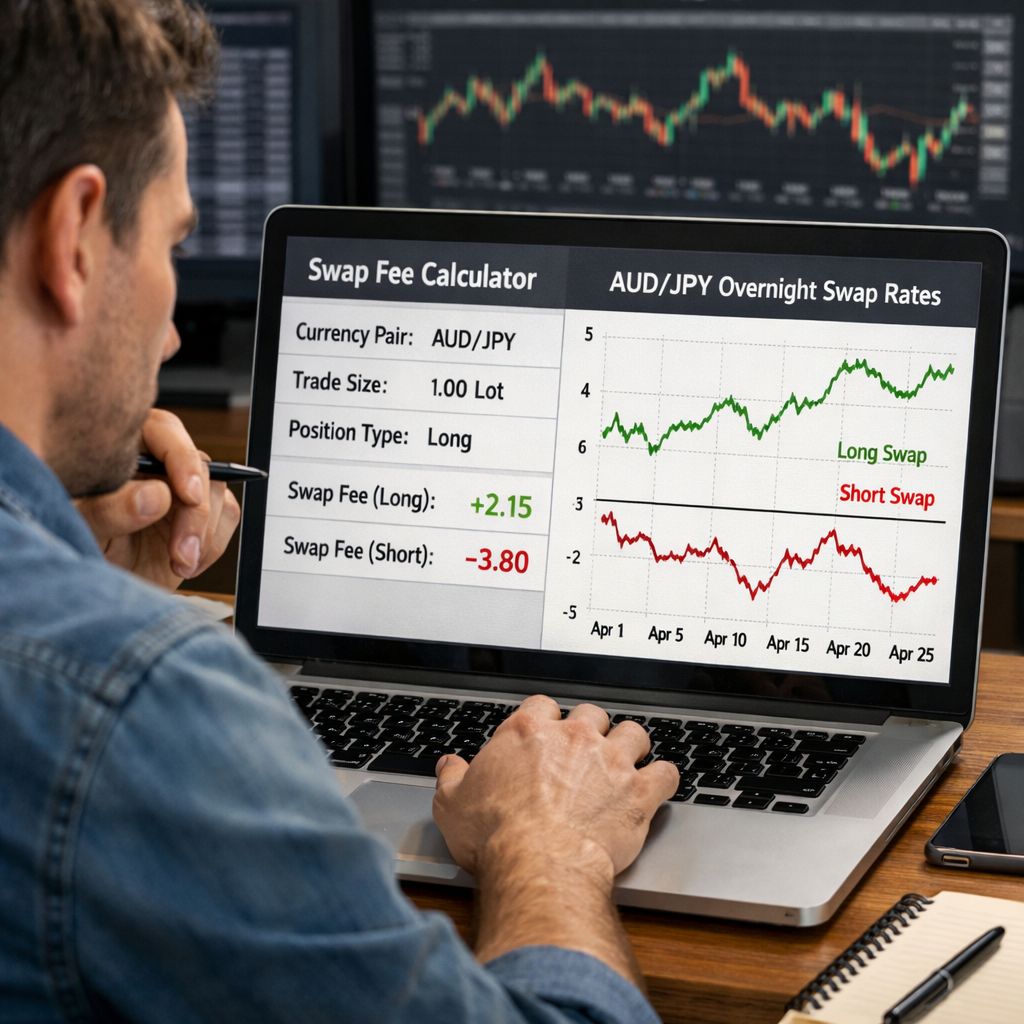
SwapCalc.com focuses on the overnight interest that you either earn or pay. It shows the exact swap cost for any currency pair, based on the current interest‑rate differential.
Enter the pair, your trade size and whether the position is long or short. The calculator returns the daily swap in pips and in your account currency.
This tool is crucial for carry‑trade strategies, where you hold positions for days or weeks to collect positive swap.
Example: You go long AUD/JPY with a 1‑lot position. SwapCalc shows a credit of 0.35 pips per day. Over a 30‑day hold, that adds up to 10.5 pips, which can turn a marginal trade into profit.
Pros:
- Accurate daily swap figures.
- Supports both long and short positions.
- Shows results in both pips and currency amount.
Cons:
- Only covers swap; no lot size or margin tools.
- Interface is simple but not mobile‑optimized.
Bottom line:Use SwapCalc for precise swap fees, then feed that data into Edge‑Forex for full trade analysis.
Advanced Risk Management Desktop Tool , RiskProFX
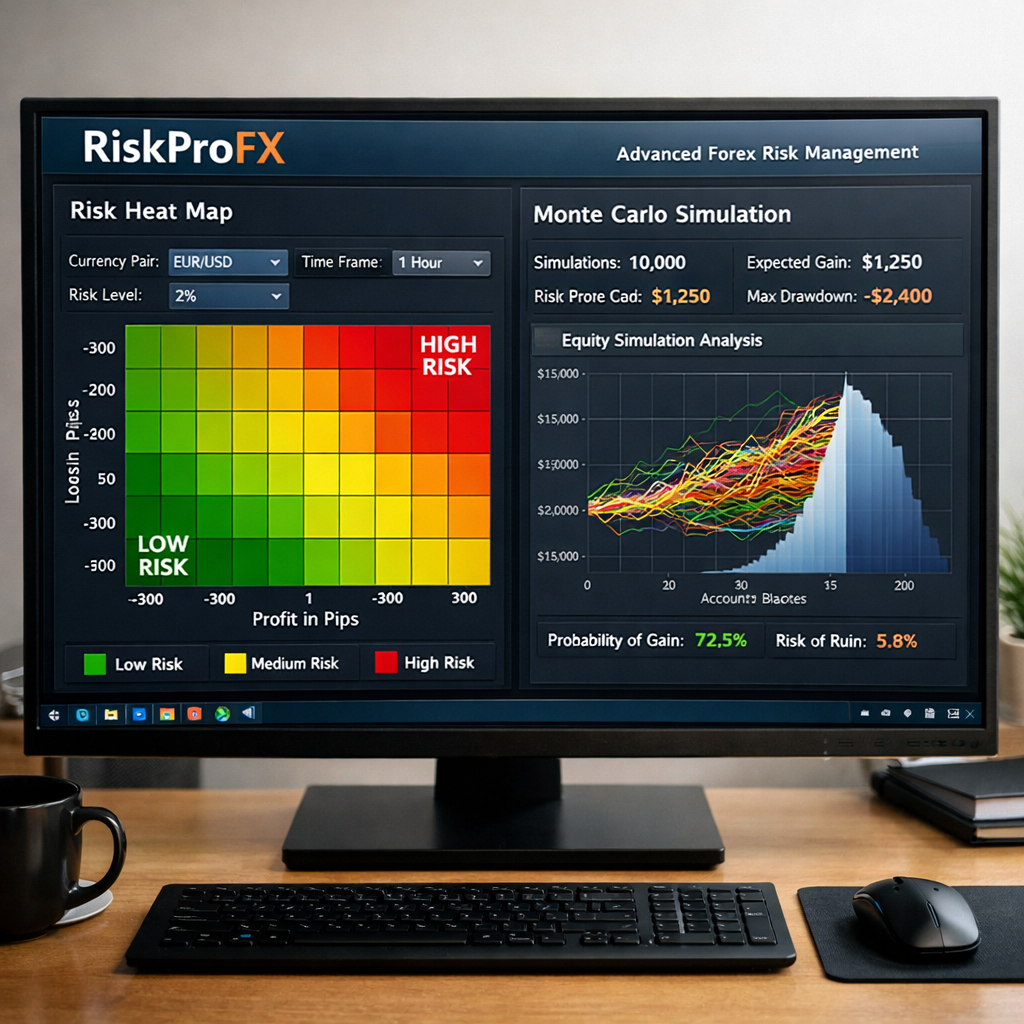
RiskProFX is a desktop application built for traders who need deep risk analytics. It imports your trade history, calculates value‑at‑risk, expected shortfall and risk‑adjusted return.
After you load a CSV of your trades, the software charts exposure per currency, per time‑frame and per strategy. You can set a target risk‑of‑ruin level and the tool will suggest position‑size adjustments.
The interface shows heat maps, Monte Carlo simulations and scenario analysis. That depth helps prop‑trading firms and seasoned retail traders who manage multiple accounts.
Pros:
- Complete risk metrics.
- Scenario testing with Monte Carlo.
- Exportable reports for compliance.
Cons:
- Requires installation on Windows or macOS.
- Higher price point; no free tier.
Bottom line:Pair RiskProFX’s deep analysis with Edge‑Forex’s real‑time calculator for best of both worlds.
FAQ
What is a forex trading calculator?
A forex trading calculator is a tool that turns account balance, risk %, stop‑loss distance and pair price into lot size, pip value and profit‑loss numbers. It helps you size trades correctly and avoid over‑exposure.
How do I calculate lot size with a forex trading calculator?
Enter your account balance, pick a risk percentage (1‑2 % is common), and type the stop‑loss in pips. The calculator divides the risk amount by the pip value to give you the number of units or lots you should trade.
Can I use a forex trading calculator on my phone?
Yes. Mobile apps like FX Trade Calculator let you input the same data as a web tool. The app updates results instantly and stores recent calculations for quick reference.
Do I need a separate swap calculator?
Swap fees are a separate cost that accrues overnight. A dedicated swap calculator such as SwapCalc.com shows the exact credit or debit per day. Combine that number with your position‑size result for full profit estimates.
Is Edge‑Forex the best free option?
Edge‑Forex offers a web‑based calculator with risk‑per‑trade management and unit conversion at no cost. While other free tools exist, Edge‑Forex is the only one that bundles all these features together.
How often should I recalculate my risk?
Recalculate whenever your account balance changes, you add a new trade, or the market volatility shifts. Using a forex trading calculator each day keeps your risk in line with your strategy.
Can I integrate a forex trading calculator with TradingView?
Yes. Many calculators let you copy the lot size into TradingView’s order panel. Some platforms even have built‑in calculators that pull price data directly from the chart.
What’s the difference between a pip calculator and a position‑size calculator?
A pip calculator tells you the monetary value of a single pip for a given lot size. A position‑size calculator tells you how many lots you need to risk a set percentage of your account. Both are essential for sound trade planning.

Conclusion
Choosing the right forex trading calculator can shave minutes off your analysis and protect your capital. Free web tools like ForexCalculator.io are great for quick checks, while Edge‑Forex delivers a full‑featured, ad‑free experience that covers risk‑per‑trade, unit conversion and profit projections.
Mobile apps keep you covered on the go, MT4’s built‑in suite works inside the chart, SwapCalc handles overnight costs, and RiskProFX offers deep risk analytics for power users. Pair any of these with Edge‑Forex for a smooth workflow.
Start your free trial today, explore the calculators and see how accurate sizing improves your win‑rate. Edge‑Forex is built for retail traders, prop‑firm individuals and educators who need fast, reliable numbers.

I’m Vinit Makol. With 20+ years in forex and financial markets, I serve as lead analyst at Edge-Forex, covering currency markets, macroeconomics, trading strategies, and market-moving events to give traders practical insights they can actually use.