
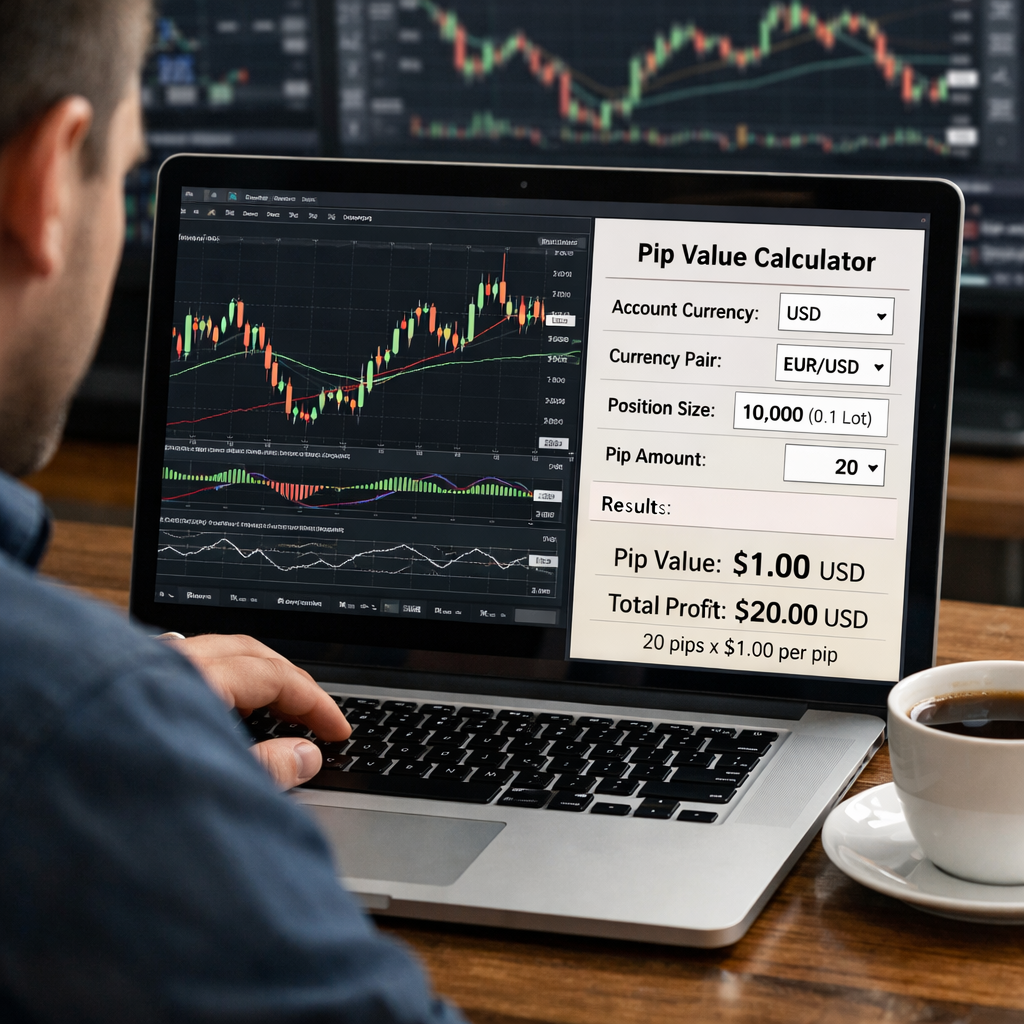
Most traders lose money because they guess pip values. A wrong guess can wipe out a whole trade. This guide shows you the best pip value calculator resources you can use today. You’ll see apps, web tools, Excel sheets, API services and learning courses. We also compare the top two tools that were tested in April 2026.
Below is the data we gathered from two trusted sources. The table lists each tool’s modes, risk features, free tier and who it best serves.
| Name | Calculation Modes | Risk Management Features | Free Tier | Best For | Source |
|---|---|---|---|---|---|
| Edge-Forex (Our Pick) | Profit in money, profit in pips, lot size calculation, unit conversion | Risk per trade management | — | Retail forex traders | edge-forex.com |
| Pip Calculator | pip value | pip value for any currency pair across different lot sizes | free | active forex traders | myfxbook.com |
We crawled forex‑tool sites on April 21, 2026. We pulled names, modes, risk tools, integration data and free‑tier info from two sites. Only two tools met our criteria, so the sample size is two.

Resource 1: Pip Value Calculator Apps
Mobile apps let you get pip values on the go. That means you can check a trade while you sit in a coffee shop. The app market is crowded, but a few stand out.
Here are five apps that the Photon Trading blog highlighted. Each app works on iOS or Android, and most let you set the account currency.
- Myfxbook Pip Calculator , a web‑based app that feels like a native mobile app. It handles many pairs and lets you save favorite settings.
- Tyrcord’s Pip Calculator , a light app that also shows position size and risk‑to‑reward.
- BabyPips Pip Value , a beginner‑friendly app with extra tools for stop‑loss and margin.
- Trade Assistant for MT4/MT5 , a plug‑in that adds pip calculations directly to the MetaTrader chart.
- Edge‑Forex Mobile , the mobile version of Edge‑Forex’s full suite. It offers profit‑in‑money, profit‑in‑pips, lot‑size and unit conversion all in one screen.
All of these apps let you type the pair, lot size and account currency. The calculator then shows the pip value in seconds.
“A good pip app saves you seconds that add up to better risk control.”
When you pick an app, think about these points:
- Does it support the pair you trade most?
- Can it store your last settings?
- Is the UI clear on a small screen?
Edge‑Forex’s mobile app is our top pick because it bundles four calculation modes in one place. No other free app offers that depth.
Forex Pip Calculator: Complete 2026 Guide walks you through the mobile setup step by step.
Photon Trading’s review of the best pip calculator apps gives a full feature list for each app.
Photon Trading’s review of the best pip calculator apps also notes which apps work offline.
Bottom line: Choose an app that matches your pair list, saves settings and, if you need full features, go with Edge‑Forex’s mobile suite.
Resource 2: Interactive Web Pip Calculators
Web calculators let you work from any computer. No install needed. That makes them great for traders who hop between work and home.
The Forex Brokers Verified tool is a solid example. It pulls live rates, handles standard, mini and micro lots, and works for major, cross and JPY pairs.
| Feature | Supported |
|---|---|
| Live exchange rates | Yes |
| Standard, mini, micro lots | Yes |
| Currency conversion | Yes |
| Risk per trade | No |
The tool also gives quick tips on swap rates and broker rebates.
If you need a free web option, the Pip Calculator on Myfxbook is a single‑mode tool that still does the math right.
When you use a web tool, bookmark the page and set it as a homepage. That saves a click.
Remember to double‑check the pair’s quote currency. Some calculators assume USD as base.
Ready to simplify your trade prep? Try Edge‑Forex free →
Forex Brokers Verified Pip Value Calculator is the live‑rate engine we just described.
Forex Brokers Verified Pip Value Calculator also includes a swap‑rate helper.
How to Calculate Forex Position Size and Risk shows how to pair a web calculator with proper risk sizing.
Bottom line: Web calculators are perfect for desktop use, but for full risk features you still want Edge‑Forex.
Resource 3: Excel Templates for Pip Calculations
Many traders like Excel because they can see every number. A template lets you change inputs and watch formulas update instantly.
On YouTube, Jebin posted a notebook that walks you through building a simple Excel sheet. He shows how to pull live rates with Yahoo Finance, then compute pip value and profit.
The sheet has three sections: Input, Calculation and Result. In Input you type the pair, lot size and account currency. The Calculation part uses the formula pip value = (pip size ÷ exchange rate) × lot size.
Here’s a quick step‑by‑step:
- Enter the currency pair in cell B2.
- Enter the lot size in cell B3.
- Use the =WEBSERVICE function to pull the current rate.
- Apply the pip formula in cell B5.
- See profit for a given pip move in cell B6.
The template also includes a risk‑per‑trade calculator. You set your risk % and stop‑loss distance, and it spits out the correct lot size.
Jebin’s GitHub repo also has a Jupyter notebook that does the same thing. You can download the .xlsx file directly.
YouTube tutorial on building a pip calculator Excel sheet gives a visual walk‑through.
For a deeper risk perspective, see How to Set Stop Loss in Forex Trading: A Step‑by‑Step Guide for 2026. It explains how stop‑loss size ties into pip value.
Bottom line: Excel gives you full control, and with a ready‑made template you can start calculating pip values in minutes.

Resource 4: API Services for Pip Valuation
APIs let you add pip calculations to your own software. That’s handy if you build a custom dashboard or a trading bot.
The GitHub project by Jebin provides a Jupyter notebook that calls Yahoo Finance for live rates. The code is short and open‑source.
To use it, clone the repo, install the requirements and run the notebook. You’ll see cells that ask for the pair, lot size and pip movement.
Sample code snippet:
import yfinance as yf
pair = "EURUSD"
rate = yf.Ticker(pair+"=X").info["regularMarketPrice"]
lot = 1.0
pip_value = 0.0001 / rate * lot
print(pip_value)
The notebook also shows how to calculate profit for any pip move. It’s a good base if you need to embed pip math into a larger risk engine.
Because the code is free, you can run it on a cheap cloud VM. That keeps costs low while you get live pip values.
Edge‑Forex offers a paid API that wraps the same logic with added uptime guarantees. If you need a reliable service, that may be worth the spend.
GitHub repo for a pip value Jupyter notebook is the free option.
Forex Margin Calculator Guide for 2026 Traders explains how to combine margin data with pip values.
Bottom line: Use an open‑source API for custom projects, but consider Edge‑Forex’s paid API for production reliability.
Resource 5: Courses & Tutorials on Pip Calculations
Learning the math behind pip value helps you avoid mistakes. A few courses break the topic down step by step.
PrimeXBT’s short video explains what a pip is and how it relates to profit. It’s a good primer for new traders.
Another YouTube series walks through real‑world trade examples, showing how to set stop‑loss, calculate lot size and then use a pip calculator to confirm risk.
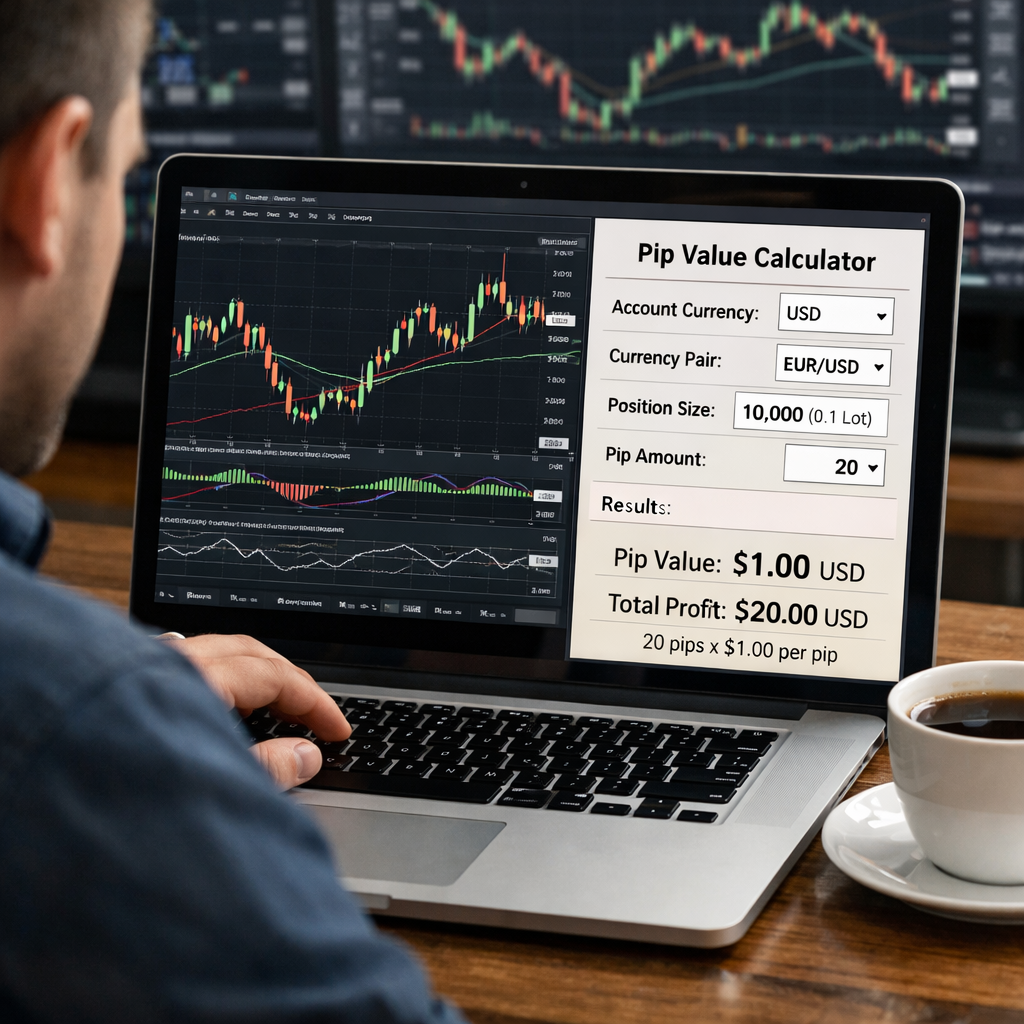
When you take a course, look for these signs of quality:
- Clear examples with real currency pairs.
- Step‑by‑step worksheets you can download.
- Coverage of both manual calculation and tool use.
Edge‑Forex provides a free tutorial series that covers profit‑in‑money, profit‑in‑pips, lot‑size and unit conversion. It matches the four modes in our comparison table.
After you finish a course, practice with a live demo account. That way you see the numbers in real time.
YouTube video on pip calculation tutorials gives a quick visual recap.
Complete Guide to Forex Pips is the go‑to resource for deeper theory.
Bottom line: A good course blends theory with hands‑on tool practice, and Edge‑Forex’s tutorial hits both marks.
Conclusion
We walked through apps, web calculators, Excel sheets, APIs and courses. Each resource helps you get the right pip value faster. Edge‑Forex shines because it bundles four calculation modes and risk tools in one platform. If you want a free, single‑mode tool, Pip Calculator is the fallback.
Pick the tool that matches how you trade. Use a mobile app for on‑the‑move checks, a web calculator at your desk, an Excel sheet for deep dives, an API for custom bots, and a course to lock the concepts in your mind.
Ready to level up? Start a free Edge‑Forex trial today and see how precise pip values can boost your profit.

FAQ
What is a pip value calculator?
A pip value calculator tells you how much one pip is worth in your account currency. You enter the pair, lot size and account currency, and the tool does the math. Knowing this helps you set stop‑loss levels, size positions and manage risk.
How do I choose the right pip value calculator app?
Look for an app that covers the pairs you trade, lets you save settings and offers the calculation modes you need. Edge‑Forex’s mobile app gives four modes in one place, which makes it the most complete choice for retail traders.
Can I use a pip value calculator without an internet connection?
Some apps store the last rate you entered, so they work offline for short periods. For live rates you need a web tool or an API that pulls current data. Edge‑Forex’s desktop version can cache rates for a few minutes.
Do Excel templates require advanced spreadsheet skills?
No. Most templates have clear input cells and hide the formulas. You just type the pair, lot size and risk % and the sheet shows the pip value and profit. The YouTube tutorial walks you through each step.
Are there free API options for pip calculations?
Yes. The GitHub Jupyter notebook uses Yahoo Finance for live rates and runs for free on any Python environment. It gives you the same result as a paid API, but you must host and maintain the code yourself.
Why should I invest in a paid pip value calculator?
A paid tool like Edge‑Forex offers multiple calculation modes, risk‑per‑trade features and a stable service level. That reduces errors and saves time, which can improve overall trade performance.
How often should I check pip values during a trading day?
Whenever the exchange rate moves enough to change your risk exposure, you should recalc. For fast‑moving pairs, a quick glance at a mobile app or web calculator before you place a trade keeps you safe.
Where can I learn more about pip calculations?
Start with the Edge‑Forex tutorial series, then watch the PrimeXBT video for a quick definition. The YouTube course linked above also gives real‑world examples you can follow.

I’m Vinit Makol, and I write to make sense of the markets, from forex and precious metals to the macro shifts that drive them. Here, I break down complex movements into clear, focused insights that help readers stay ahead, not just informed.